-
-
-
Service Support

-
About Royalstar
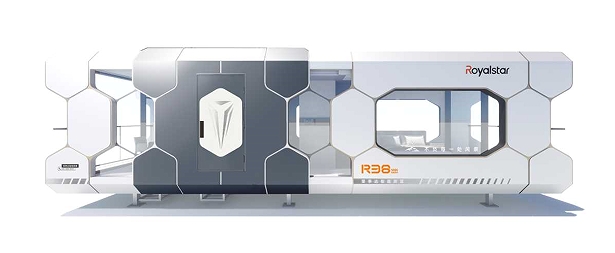





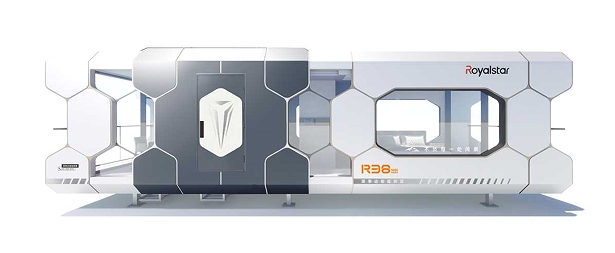

Transform Your Home's Security Landscape with Cloud Series Capsule: A Complete Guide
Transform Your Home's Security Landscape with Cloud Series Capsule Table of Contents Introduction to Cloud Series Capsule What Is the Cloud Series Capsule? Benefits of Using Cloud Series Capsule for Home Security How Does Cloud Series Capsule Work? Installation Guide for Cloud Series Capsule Integrating Cloud Series Capsule with Smart Home Devices Maintaining Your Cloud Series Capsu
Data:
2025-09-30 12:30
Transform Your Home's Security Landscape with Cloud Series Capsule
Table of Contents
- Introduction to Cloud Series Capsule
- What Is the Cloud Series Capsule?
- Benefits of Using Cloud Series Capsule for Home Security
- How Does Cloud Series Capsule Work?
- Installation Guide for Cloud Series Capsule
- Integrating Cloud Series Capsule with Smart Home Devices
- Maintaining Your Cloud Series Capsule for Optimal Performance
- User Experiences and Reviews of Cloud Series Capsule
- Conclusion
- Frequently Asked Questions
Introduction to Cloud Series Capsule
In today’s digital age, protecting your home has taken on a new dimension with the advent of smart technology. Home security systems have evolved, and the **Cloud Series Capsule** stands out as a pivotal innovation. Designed to offer an advanced, reliable solution for home security, the Cloud Series Capsule seamlessly combines technology and user-friendliness, transforming how homeowners safeguard their properties.
This article delves into the myriad features and benefits of the Cloud Series Capsule, showcasing how it redefines the landscape of home security.
What Is the Cloud Series Capsule?
The Cloud Series Capsule is a state-of-the-art home security device that leverages cloud technology to enhance surveillance capabilities. Unlike traditional security systems, which often rely on local storage and outdated technology, this innovative product integrates with the cloud, allowing for real-time monitoring and notifications.
**Key Features of Cloud Series Capsule:**
- **Cloud Storage:** Automatically stores footage in a secure cloud environment, providing access from anywhere.
- **Real-Time Alerts:** Sends notifications to your smartphone whenever motion is detected, ensuring you're always informed.
- **User-Friendly Interface:** Features an intuitive app that allows homeowners to manage their security settings effortlessly.
- **High-Definition Video:** Offers crisp, clear video quality, making it easier to identify intruders or monitor pets while away.
Benefits of Using Cloud Series Capsule for Home Security
Adopting the Cloud Series Capsule for your home security comes with numerous advantages. Here are some key benefits:
Enhanced Security
With real-time alerts and high-definition video, homeowners can respond promptly to any security breaches. Additionally, cloud storage ensures that footage is not lost, even if the device is tampered with.
Remote Access
The ability to access live feeds and recorded videos from anywhere offers unparalleled convenience. Whether you’re at work or on vacation, you can monitor your home’s security effortlessly.
Scalability
The Cloud Series Capsule can easily integrate with other smart home devices, allowing homeowners to build a comprehensive security ecosystem tailored to their needs.
Cost-Effectiveness
By reducing the need for physical storage and maintenance, the Cloud Series Capsule can lead to long-term savings, making it an economically viable option for homeowners.
How Does Cloud Series Capsule Work?
Understanding the functionality of the Cloud Series Capsule is crucial for maximizing its benefits. Here’s a breakdown of how it operates:
1. Installation
The installation process is straightforward and can typically be completed in under an hour, depending on your setup. Follow the user manual for step-by-step guidance.
2. Connection to Wi-Fi
Once installed, connect your Capsule to your home Wi-Fi network. This connection is vital for accessing cloud services and receiving real-time notifications.
3. Integration with the Cloud
The device uploads footage and alerts to the cloud, allowing you to access your home’s security information from any device with internet access.
4. User Interaction
Through the mobile app, users can customize settings, view live feeds, and review past recordings, ensuring they have complete control over their home security.
Installation Guide for Cloud Series Capsule
Installing the Cloud Series Capsule is a straightforward process. Follow this guide for a seamless setup:
Step 1: Choose the Right Location
Select a location that provides a clear view of entry points, such as doors and windows. Ensure the spot is within range of your Wi-Fi network.
Step 2: Mount the Device
Use the provided mounting hardware to securely install the Capsule. Ensure it is positioned at an optimal height, typically 8-10 feet above the ground.
Step 3: Connect to Power
Plug in the device to a power source, ensuring it is properly secured.
Step 4: Connect to Wi-Fi
Follow the app instructions to connect your Capsule to your home Wi-Fi network, ensuring a stable connection for effective operation.
Step 5: Configure Settings
Customize your notification preferences, recording schedules, and any other settings according to your preferences.
Integrating Cloud Series Capsule with Smart Home Devices
To maximize the potential of your Cloud Series Capsule, consider integrating it with other smart home devices. Here’s how to do it:
1. Smart Lights
Pairing your Capsule with smart lights can enhance security. For instance, you can set lights to turn on automatically when motion is detected, deterring potential intruders.
2. Smart Locks
Integrate the Capsule with smart locks, allowing you to lock or unlock doors remotely, adding an extra layer of control over your home’s entry points.
3. Voice Assistants
Linking your Capsule to voice assistants like Google Assistant or Amazon Alexa allows for hands-free control, making it easier to manage your security system.
Maintaining Your Cloud Series Capsule for Optimal Performance
To ensure the longevity and effectiveness of your Cloud Series Capsule, regular maintenance is essential. Here are some tips:
1. Regular Software Updates
Keep your device and app updated to benefit from the latest security features and improvements.
2. Clean the Lens
Regularly check and clean the camera lens to ensure clear video quality, as dust and dirt can obstruct the view.
3. Monitor Cloud Storage Usage
Keep track of your cloud storage usage and upgrade your plan if necessary to avoid losing important footage.
4. Test Functionality
Periodically test the device by checking live feeds and reviewing notifications to ensure everything is functioning correctly.
User Experiences and Reviews of Cloud Series Capsule
User feedback plays a vital role in understanding the effectiveness of a product. The Cloud Series Capsule has garnered positive reviews for its reliability and user-friendly interface.
Positive Reviews
Many users praise the device for its ease of use and setup. The real-time notifications feature is highly regarded, as it provides peace of mind while away from home.
Common Concerns
Some users report minor issues with Wi-Fi connectivity, particularly in larger homes. However, these concerns are often mitigated with a range extender.
Conclusion
The **Cloud Series Capsule** represents a significant advancement in home security technology. By seamlessly combining cloud storage, real-time monitoring, and easy integration with other smart devices, it offers homeowners a comprehensive solution for safeguarding their properties. With its user-friendly interface and robust features, the Cloud Series Capsule is an investment that enhances both security and peace of mind.
As you consider upgrading your home security, the Cloud Series Capsule stands out as a top choice, affording you the control and confidence to protect your home effectively.
Frequently Asked Questions
1. How secure is the cloud storage for the Cloud Series Capsule?
The cloud storage used for the Cloud Series Capsule is encrypted and secured, ensuring your footage is protected from unauthorized access.
2. Can I access my Cloud Series Capsule from multiple devices?
Yes, you can access your Cloud Series Capsule from any device with the app installed, enabling you to monitor your home security on the go.
3. What happens if my Wi-Fi goes down?
While the device requires Wi-Fi for remote access, it will continue to record footage locally until the connection is restored.
4. Is professional installation required for the Cloud Series Capsule?
No, the installation process is designed for ease and can typically be completed by the user without professional help.
5. Can I integrate the Cloud Series Capsule with my existing security system?
Yes, the Cloud Series Capsule is designed to work alongside other smart home devices, enhancing your overall security setup.
Related News




+852 94671947
+971 553083850
Address
Building 2,Intersection of Fenglin Road and Shuangfeng Road, Shuangfeng Economic Development Zone, Hefei City, Anhui Province, China